SearchSEO vs CTRTool: CTR Campaigns for Boosting Organic CTR
You are choosing between SearchSEO and CTRTool to lift organic click-through rates. Both promise automated search visits, but they differ on proof, coverage, and how much of each campaign you actually control. That gap matters when you are paying per visit and need evidence it happened.
This comparison gives you a clear verdict, then walks through CTRTool's screenshot proof, Google, Bing, Maps and AI Overviews coverage, and keyword, location, daily search count and visit path controls. You will see how SearchSEO stacks up on features and pricing, and finish knowing which tool fits your campaign.
Quick Verdict: SearchSEO vs CTRTool for Organic CTR Campaigns
CTRTool is a CTR campaign tool that provides screenshot proof for every visit, while SearchSEO is a competing CTR manipulation service; this quick verdict summarizes which tool suits different SEO needs. Both sit in the same corner of the market, but they differ sharply on how much evidence you get for your spend and how wide your campaign coverage can go.
The table below compares the two on the dimensions that matter most when you are running CTR campaigns to lift organic CTR. CTRTool's column reflects verified, published details. SearchSEO's column is described in general terms only, since its specifics are not confirmed here.
| Dimension | CTRTool | SearchSEO |
|---|---|---|
| Proof of visits | Search and landing screenshots as separate proof images for every visit, plus full visit paths | Verification details are not confirmed; treat proof claims with caution |
| Campaign coverage | Google, Bing, Maps, and AI Overviews | Coverage is described generally and may vary by platform |
| Position tracking | Keyword positions over time, including Maps listing order and AI citation order | Reporting scope is not clearly documented |
| Pricing transparency | Pay-for-results credit model; no credits charged for technical failures before landing, and unverified locations use no credits | Pricing structure is not confirmed and may require a sales conversation |
| Scale | Up to 100 campaigns with 100 keywords each; one shared credit balance | Plan limits are not publicly detailed |
| Target user | SEO teams and agencies that want auditable proof and multi-platform reach | Buyers willing to accept less transparency for a simpler offer |
The clearest gap is accountability. With CTRTool, a screenshot proof trail means you can show a client exactly what happened on a given search, and the credit model means failed attempts before landing do not eat into budget. That matters when a CTR campaign is part of a broader push on user engagement and ranking signals.
SearchSEO may appeal to buyers who prefer a lighter, less documented setup, but the lack of confirmed proof and coverage details makes it harder to justify for client work. Neither tool replaces solid on-page SEO like a strong meta title, meta description, or schema markup, but both aim to support search visibility beyond those basics.
Ideal user for CTRTool: agencies and in-house SEO teams that need screenshot proof, coverage across Google, Bing, Maps, and AI Overviews, and a pay-for-results model they can defend to stakeholders.
Ideal user for SearchSEO: individual practitioners who want a basic CTR manipulation service and are comfortable with less verified transparency around visits and reporting.
At a glance: how CTRTool compares to SearchSEO on the features that matter most.
| Feature | CTRTool | SearchSEO |
|---|---|---|
| Pricing | $59-$699/mo | Price on request |
| Free plan / trial | ✗ | 3-day free trial |
| CTR manipulation campaigns | ✓ | ✓ |
| Custom keywords & geo targeting | ✓ | ✓ |
| Device targeting (desktop/mobile) | ✓ | ✓ |
| Google Business Profile / Maps clicks | ✓ | ✓ |
| Bing search support | ✓ | ✓ |
| Screenshot proof per visit | ✓ | — |
What Is CTRTool?
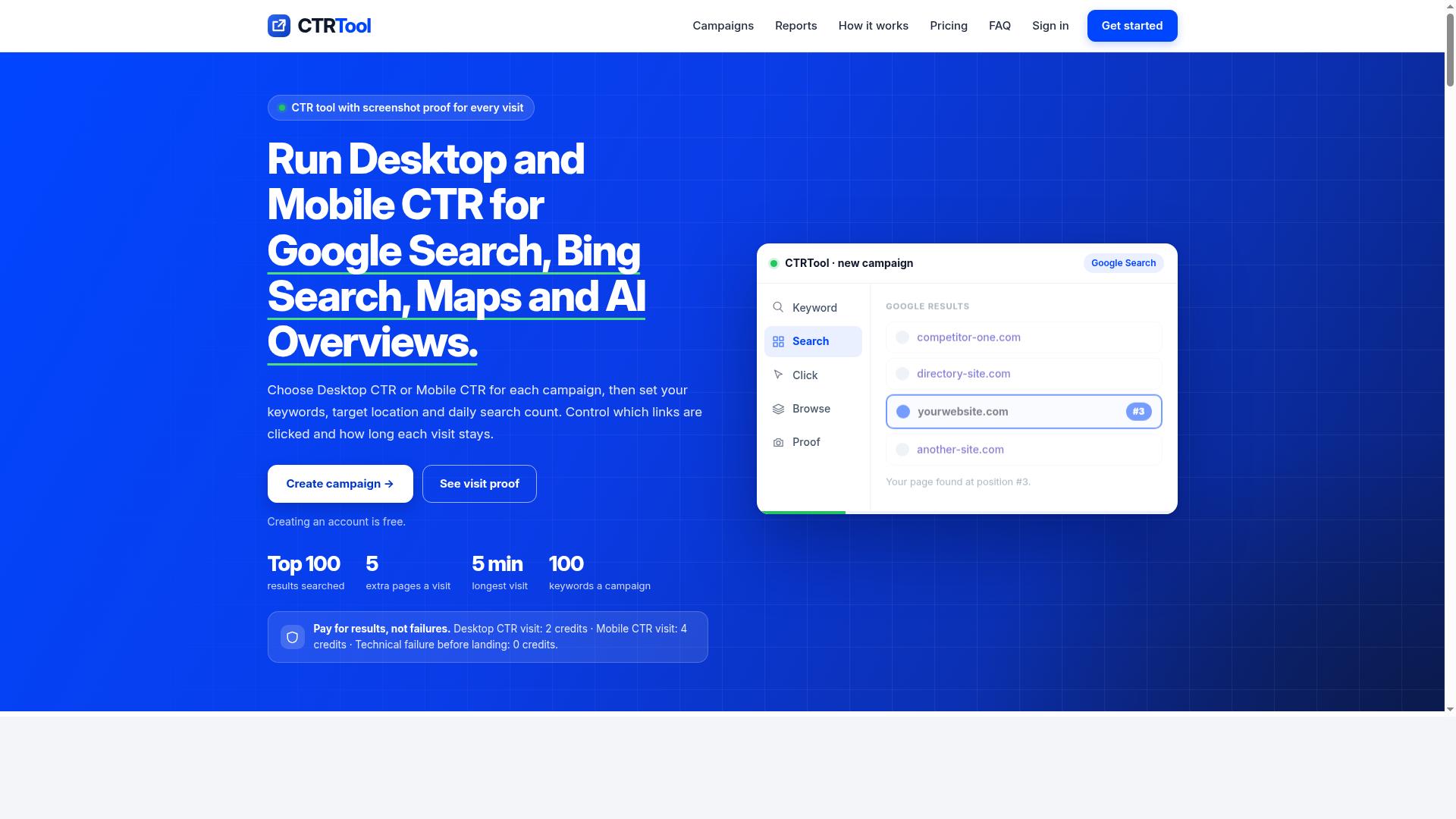
CTRTool is a SaaS platform that runs desktop and mobile CTR campaigns for Google Search, Bing Search, Maps, and AI Overviews, with screenshot proof for every visit. It is built for SEO teams that want to influence organic CTR through controlled, measurable click activity rather than guesswork.
The tool treats CTR campaign setup as a structured process. Instead of a single generic setting, users choose Desktop CTR or Mobile CTR for each campaign, so device-level behavior can be matched to how real audiences search.
Every campaign is defined by the details that matter most for a realistic pattern of user engagement:
- Keywords to target
- Target location
- Daily search count
- Which links are clicked
- How long each visit stays
That last pair is significant. Controlling link choice and visit duration means a campaign can reflect deliberate dwell time rather than an instant bounce, which is closer to how a genuinely interested searcher behaves on a search engine results page.
CTRTool also provides screenshot proof for each visit. This matters for accountability: teams can review evidence of campaign activity rather than trusting an opaque dashboard count. For agencies reporting to clients, that record is a practical asset.
The platform tracks keyword positions over time as well. Pairing click activity with keyword ranking history lets users see whether a campaign coincides with movement in search visibility, instead of judging results from a single snapshot.
CTRTool is transparent about limits. The site states plainly: "Automated visits do not guarantee rankings." That honesty is worth noting. CTR is one ranking signal among many, and no responsible SEO tool should promise otherwise. CTRTool positions itself as a way to test and shape click-through rate patterns, not as a shortcut that replaces sound on-page work such as a strong meta title, a relevant meta description, and correct schema markup.
In short, CTRTool's core offering is controlled CTR campaign execution across four surfaces, with device choice, location targeting, visit control, and proof attached to each click.
What Is SearchSEO?
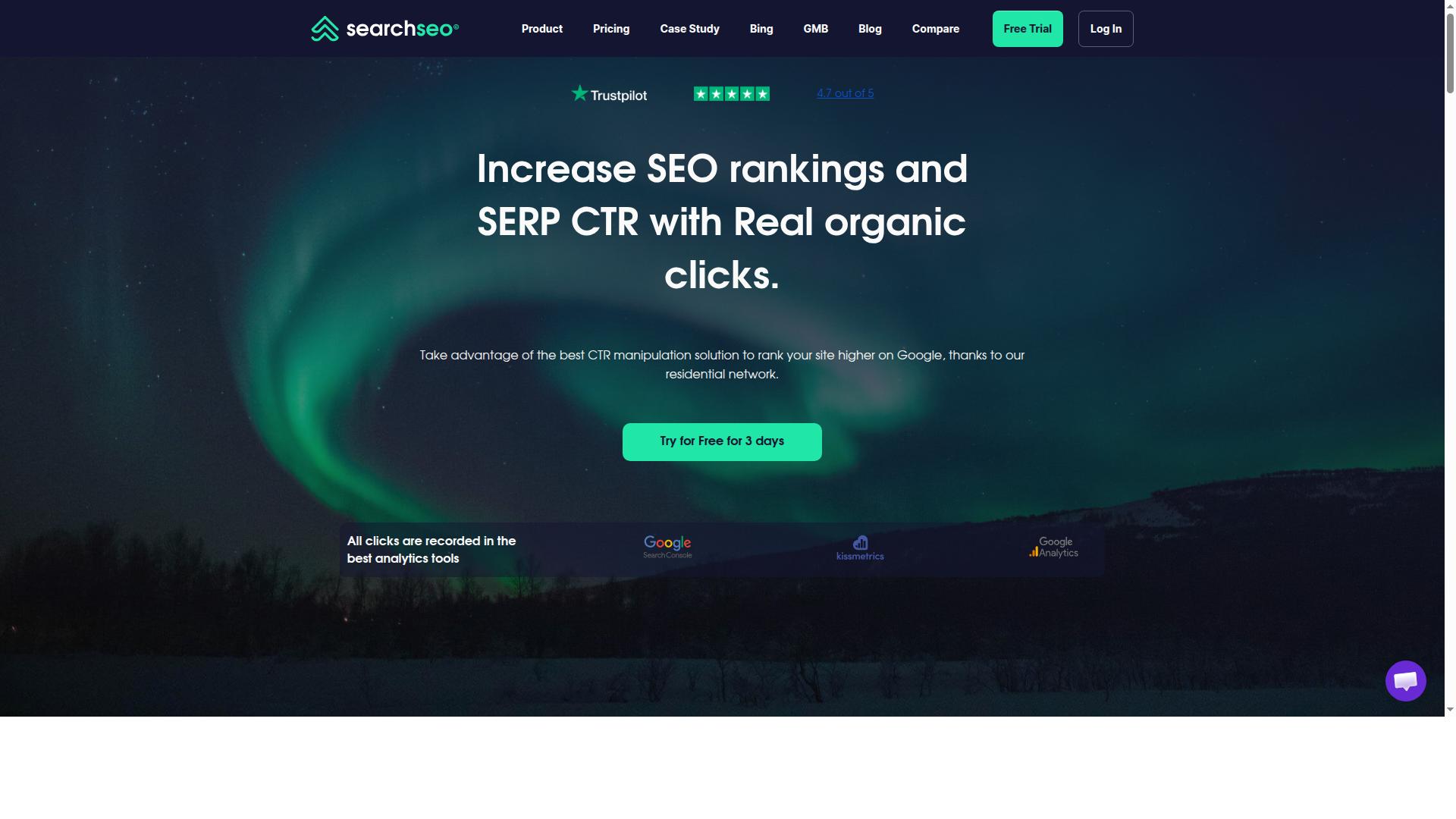
SearchSEO is a CTR manipulation service that aims to improve organic click-through rates, though its exact features and pricing should be verified directly with the provider. In practice, tools in this category simulate organic clicks on a site's search results to influence how search engines perceive a page's engagement.
The underlying idea is straightforward. If a page appears in the SERP and receives steady click volume from real-looking users, the theory is that search engines may treat that as a positive user engagement signal. Proponents argue this can support CTR optimization and, indirectly, keyword ranking.
SearchSEO sits in a crowded field of CTR tools, and public information about how each one operates can be limited. Anyone evaluating it should read the official website carefully and confirm what a CTR campaign actually involves before committing.
Some questions worth asking about any CTR manipulation service include:
- How are clicks sourced, and do they resemble genuine organic traffic?
- Can campaigns target specific keywords, from long-tail keywords to head terms?
- What reporting is available on click volume and campaign progress?
- Are the provider's methods and terms clearly disclosed?
Because details vary and can change, treat any description of SearchSEO as a starting point rather than a definitive spec. The safest approach is to compare what the provider publishes against what your own SEO strategy requires.
It also helps to understand what CTR campaigns can and cannot do. They focus on the click and engagement side of the equation. They do not replace work on meta title and meta description quality, schema markup, or content that matches search intent. Those elements still shape whether a real searcher chooses your result on the search engine results page.
Features Compared
This section compares the features of CTRTool and SearchSEO across proof and transparency, campaign coverage, and campaign control. These three areas matter most when judging a CTR campaign tool, because they determine whether you can verify delivery, reach the right search platforms, and shape each visit to match your goals.
Each comparison below relies on publicly available information about both tools. Where SearchSEO's documentation is thin, we flag what buyers should confirm directly with the vendor rather than assume.
Proof and Transparency: Screenshot Evidence for Every Visit
CTRTool provides screenshot proof for every visit, including separate search and landing screenshots, while SearchSEO's proof methodology is not clearly documented. That difference matters because a CTR campaign is only as useful as the evidence behind it.
With CTRTool, each visit produces two distinct proof images: one showing the search on the SERP and one showing the landing page. Reports also include full visit paths, so you can see the internal pages a visitor moved through, not just the entry point.
Transparency extends to keyword tracking over time. CTRTool reports search positions, Maps listing order, and AI citation order, giving you a timeline view of how visibility shifts during a campaign.
- Search screenshot for each visit
- Landing screenshot as a separate image
- Full visit path including internal pages
- Position tracking across Search, Maps, and AI Overviews
For SearchSEO, the proof of visits is not publicly detailed. Buyers should ask the vendor what evidence is provided per visit and whether it can be reviewed after the fact. Verifiable proof is central to evaluating CTR campaign effectiveness, since click volume without evidence is difficult to act on.
Campaign Coverage: Google, Bing, Maps and AI Overviews
CTRTool supports CTR campaigns for Google Search, Bing Search, Google Maps, and AI Overviews, while SearchSEO's platform coverage is less clear. Broader coverage lets one tool serve several parts of your search visibility strategy.
Each CTRTool campaign type follows a defined path:
- Google Search CTR: search the keyword and click the organic result
- Bing Search CTR: the same flow on Bing
- Google Maps CTR: find the business listing and click its website link, checking up to 50 listings
- AI Overview CTR: find the website in the overview and click its source link, which requires a matching source link
Campaigns can target desktop or mobile and reach the top 100 results. Delivery runs through Desktop Chrome windows and real Android phone sessions matched to the target location through managed proxy routes.
This range covers traditional SERP features, the local pack, and newer AI-generated results in one place. For SearchSEO, coverage should be confirmed with the provider, including which engines and result types are supported.
Campaign Control: Keywords, Location, Daily Search Count and Visit Paths
CTRTool allows users to set keywords, target countries, states, and cities, and control daily search counts and visit paths, whereas SearchSEO's control options are not publicly specified. Fine control is what separates a targeted campaign from a blunt burst of clicks.
Setup in CTRTool covers the parameters that shape a realistic visit:
- Up to 100 keywords per campaign, with up to 100 campaigns on one balance
- Country, state, and city targeting, or Any country
- Daily search counts with now, spread out, or gap timing, plus days, hours, and time zone (daily goals reset at 00:00 UTC)
- Target URL, internal page URLs, link text, click order, and scrolling time
- Up to five additional internal pages per visit, with visits up to five minutes total
One constraint applies: the page must appear within the top 100 organic results for the chosen keyword and location. CTRTool also uses a pay-for-results credit model, with no credits charged for technical failures before landing, and visits that cannot verify the requested location use no credits.
For SearchSEO, users should inquire about its control capabilities directly, including keyword limits, geo-targeting depth, and scheduling options.
Pricing Compared
CTRTool offers monthly plans starting at $59 for 2,000 credits, with credits translating to desktop or mobile CTR visits, while SearchSEO's pricing is not publicly listed and should be obtained from the vendor.
That contrast shapes how each option should be evaluated. CTRTool publishes its full plan structure, so you can calculate cost per visit before committing. SearchSEO requires a conversation with sales before any budget comparison is possible.
| Plan | Monthly Price | Credits | Approximate Desktop Visits | Approximate Mobile Visits |
|---|---|---|---|---|
| Starter | $59 | 2,000 | Up to 1,000 | Up to 500 |
| Growth (Recommended) | $125 | 5,000 | Up to 2,500 | Up to 1,250 |
| Scale | $399 | 20,000 | Up to 10,000 | Up to 5,000 |
| Agency | $699 | 40,000 | Up to 20,000 | Up to 10,000 |
The credit system is straightforward. A Desktop CTR visit costs 2 credits and a Mobile CTR visit costs 4 credits, which explains why mobile visit estimates are half the desktop figure at every tier. A verified search without a match costs 1 credit, and a technical failure before landing costs 0 credits.
Two smaller details matter for budgeting. Unused credits roll over while your subscription is active, then expire when cancellation takes effect. Creating an account is free, and custom development carries a separate one-time fee agreed in advance.
CTRTool also displays limited launch pricing, with a notice that prices rise 30% on November 15. Readers comparing plans should factor that timing into any decision, since the listed rates are not guaranteed indefinitely.
For SearchSEO, no rates appear on the website. The practical path is to request a quote directly from the vendor and ask how visits are counted, whether mobile costs more, and what happens to unused volume. Those answers let you build a fair side-by-side comparison rather than guessing at figures.
On transparency alone, CTRTool gives you a published ladder from Starter through Agency, plus per-visit credit costs you can verify before spending. SearchSEO may suit buyers who prefer a custom arrangement, but the burden of due diligence sits with you until pricing is confirmed in writing.
Who Should Choose CTRTool
CTRTool is ideal for SEO practitioners and agencies running CTR campaigns for their own or client websites across Google Search, Bing Search, Google Maps, and AI Overviews. The platform is built around a specific kind of user: someone who treats a CTR campaign as a measurable project rather than a black box.
If you need to show a client what actually happened, or you want to tune every campaign parameter yourself, this tool fits that working style. It favors transparency and control over a simplified set-and-forget approach.
The audience description covers a fairly wide range of practitioners. The common thread is a need for multi-platform coverage and evidence that ties back to real keyword performance.
- SEO professionals managing organic CTR for their own sites
- Agencies running campaigns across client properties
- Teams working with tier links, PBNs, and test properties
- Practitioners who want screenshot proof of delivered visits
CTRTool also suits users who want to improve organic CTR for specific keywords rather than chasing broad, unfocused click volume. That keyword-level focus pairs naturally with tracking keyword ranking positions over time, so you can connect campaign activity to movement in the SERP.
Validating results matters just as much. Screenshot proof of visits gives you a concrete record to review and, where relevant, to share with a client. That is a meaningfully different posture from tools that report outcomes without showing the underlying activity.
Detailed reporting and control over campaign parameters are the other draws. Users who like to adjust targeting, timing, and scope will find more to work with here than in a stripped-down alternative. Those who prefer a purely hands-off tool may find the emphasis on control less appealing, which is a fair trade-off to weigh.
For agencies, the multi-platform reach is a practical advantage. Running campaigns across Google Search, Bing Search, Google Maps, and AI Overviews from one place avoids stitching together separate workflows for each surface.
In short, CTRTool is the stronger fit when proof, platform breadth, and parameter-level control are priorities for your CTR optimization work.
Who Should Choose SearchSEO
SearchSEO may be suitable for users seeking a CTR manipulation service with a potentially different feature set or pricing structure, though its specifics should be verified directly. Because public information about the platform is limited, readers should treat any claims about its capabilities as unconfirmed until they hear them from the vendor.
That does not make SearchSEO a poor option. It simply means the evaluation process requires more legwork. A buyer who is comfortable requesting a demo and asking detailed questions may find it fits a niche need. A buyer who prefers to compare options side by side before committing may find the process slower.
In general terms, a CTR campaign tool is judged on how clearly it explains its targeting options, reporting, and pricing. Those are the areas where vague answers should raise questions, regardless of which provider you are evaluating.
Consider SearchSEO primarily if one or more of the following applies to you:
- You have a specific requirement that SearchSEO advertises, and you have confirmed it directly with their team.
- You are willing to request a custom quote and wait for a response before deciding.
- You value a conversation-led sales process over self-serve comparison.
- You have already reviewed alternatives and want a second vendor to benchmark against.
If instead you want to compare transparent offerings before speaking to anyone, it helps to line up what each provider publishes. Ask SearchSEO for a demo or quote, then place their answers next to CTRTool's published information. That side-by-side view makes differences in click volume handling, campaign controls, and reporting easier to spot.
Pay attention to how each vendor describes its approach to organic CTR and user engagement signals. A provider that explains its method clearly is easier to trust than one that stays vague. Ask how campaigns interact with SERP features such as rich snippets and featured snippets, since those affect visible click-through rate.
Also ask how each tool reports results. You want to see impression share, click volume, and keyword ranking movement in a form you can act on. If a vendor cannot show sample reporting before you commit, that is useful information in itself.
Finally, weigh the buying experience. SearchSEO may suit buyers who prefer a tailored quote. CTRTool's transparent approach suits buyers who want to evaluate the offer on their own terms first. Neither path is wrong, but the second removes a layer of uncertainty from the decision.
Final Verdict
CTRTool stands out for its screenshot proof for every visit, multi-platform campaign coverage, and transparent pricing, making it a strong choice for SEOs who value accountability. Those three traits address the biggest concerns teams raise when they consider any CTR campaign: did the clicks actually happen, where do they land, and what does it cost.
The table below summarizes how the two options compare based on publicly available information.
| Criteria | CTRTool | SearchSEO |
|---|---|---|
| Proof of delivery | Screenshot proof for every visit | Not publicly documented |
| Platform coverage | Google, Bing, Maps, and AI Overviews | Not publicly documented |
| Pricing clarity | Clear, published pricing | Not publicly documented |
| Support contact | Email support at vaibhav@autoblogging.ai | Not publicly documented |
SearchSEO may well have strengths of its own, but its lack of public details makes a direct, feature-by-feature comparison difficult. Without published information on verification methods, platform reach, or cost structure, any claim about how it performs would be speculation.
For readers weighing a CTR campaign to support organic CTR and broader CTR optimization efforts, the practical recommendation is straightforward. Choose CTRTool when transparency and control matter, since every visit can be verified and every platform in scope is named up front. Consider SearchSEO only after confirming its offerings directly, including how it proves delivery and what it charges.
For more information, contact CTRTool at vaibhav@autoblogging.ai.
Frequently Asked Questions
What is the main difference between SearchSEO and CTRTool?
SearchSEO is a broader SEO platform, while CTRTool is purpose-built for CTR campaigns: it runs Desktop and Mobile CTR campaigns for Google Search, Bing Search, Maps and AI Overviews, with screenshot proof for every visit. If your goal is specifically lifting organic CTR with verifiable results, CTRTool focuses entirely on that workflow.
How does CTRTool prove that campaign visits actually happened?
CTRTool provides screenshot proof for every visit, with search and landing screenshots saved as separate proof images, plus full visit paths. It also tracks keyword positions over time, including Maps listing order and AI citation order, so you can see movement alongside the proof.
Which search engines and surfaces does CTRTool support?
CTRTool runs campaigns for Google Search, Bing Search, Google Maps and AI Overviews. You choose Desktop CTR or Mobile CTR per campaign, set your keywords and target a country with an optional state and city, or use "Any country" for a mix of supported locations.
How much does CTRTool cost compared with SearchSEO?
CTRTool publishes clear monthly USD plans: Starter at $59/month for 2,000 credits (up to 1,000 Desktop CTR visits or 500 Mobile CTR visits) and Growth at $125/month for 5,000 credits (up to 2,500 Desktop or 1,250 Mobile visits). SearchSEO does not state pricing in the sources we reviewed - it is listed as "Price on Request" with custom plans - so ask their team for a quote to compare.
What requirements must my page meet before running a CTRTool campaign?
Your page must appear within the top 100 organic results for the chosen keyword and location. Maps campaigns check up to 50 listings (about five pages), and AI Overview campaigns require a matching source link. These checks help ensure campaigns target pages that can realistically receive the clicks.
Who is CTRTool designed for?
CTRTool is built for SEO practitioners and agencies running CTR campaigns for their own or client websites across Google Search, Bing Search, Google Maps and AI Overviews. Its pay-for-results credit system and per-visit screenshot proof make it straightforward to document campaign activity for clients.