CTR Manipulation Mistakes to Avoid With AI Traffic
Your AI traffic campaign can fail before a single visit lands. A keyword outside the top 100, a source link that doesn't match the AI Overview, or a missing location setting will quietly waste your credits.
This article walks through the five CTR manipulation mistakes that sink AI traffic campaigns, from ignoring the top 100 ranking requirement to mismanaging daily goals. You'll learn how device targeting and screenshot proof work in practice, and how to decide whether CTRTool's pay-for-results model fits your campaign volume.
What Is CTRTool and How Does It Handle AI Traffic?
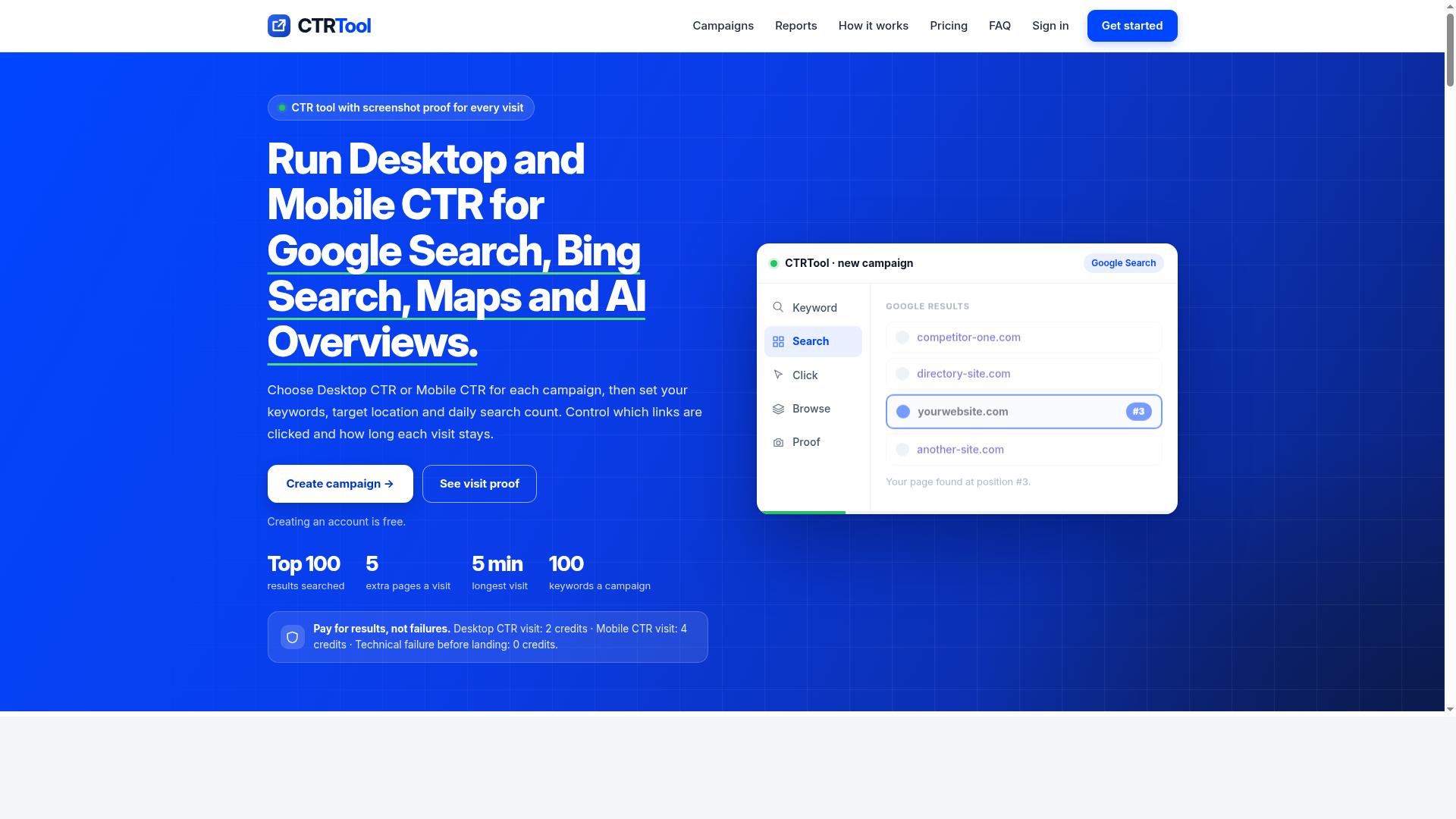
CTRTool is a SaaS platform that runs CTR campaigns for Google Search, Bing Search, Google Maps, and AI Overviews, using simulated clicks to influence engagement metrics and search rankings. It is built for marketers and site owners who want to shape user behavior signals around specific keywords rather than rely on paid traffic alone.
The core mechanism is straightforward. Users pick a campaign type, set keywords, choose a target location and device type (Desktop or Mobile), and define a daily search count. From there, CTRTool generates visits that mimic organic user behavior, and users control which links are clicked and how long each visit stays.
AI traffic gets stricter handling. For AI Overview campaigns, CTRTool requires a matching source link and checks that the page appears in the top 100 organic results before a visit is generated. This keeps AI-driven clicks tied to pages that already have real search footing.
Every visit ships with search and landing screenshots as proof, so campaigns are auditable rather than invisible. The platform is also candid about limits: it states plainly that automated visits do not guarantee rankings. That honesty matters in a niche full of inflated promises, and it frames CTRTool as a measurement-friendly tool for testing engagement signals, not a shortcut to guaranteed SERP ranking.
Do AI Traffic CTR Campaigns Actually Work - and Where Do They Go Wrong?
AI traffic CTR campaigns can influence search rankings by simulating user engagement signals, but their effectiveness depends on avoiding patterns that trigger detection algorithms. Search engines treat clicks, dwell time, and bounce rate as clues about whether a page satisfies the query.
Research suggests that user behavior signals feed into how results are ordered over time. A page that earns steady, relevant clicks and longer sessions looks more useful than one that gets skipped. That logic is the theoretical basis for CTR manipulation.
Well-executed campaigns can reinforce those signals. Poorly executed ones create the opposite effect: wasted spend, filtered clicks, or a ranking penalty once anomaly detection flags the activity.
Common failure points include:
- Ignoring the ranking requirements a page needs before clicks can help
- Mismatched keywords that send the wrong intent to the wrong page
- Unnatural click patterns, such as flat click velocity or sudden traffic spikes
- Weak traffic quality from reused IPs or thin device diversity
Each of these pitfalls gets its own treatment in the sections that follow. The through-line is consistency: careful campaign setup, realistic engagement metrics, and proof that visits actually happened. Without that proof, a campaign is guesswork rather than strategy.
Mistake 1: Ignoring the Top 100 Ranking Requirement
One common mistake is launching a CTR campaign for a keyword where the target page doesn't rank in the top 100 organic results, which violates CTRTool's requirement and wastes credits. CTRTool only accepts campaigns when the page appears within the top 100 organic results for the chosen keyword and location, so a page sitting outside that range simply cannot proceed.
Before setting up a campaign, verify the ranking yourself. Search the exact keyword in the exact location, note where the URL lands, and confirm that the page you plan to promote is the one that actually appears. Exact keyword and location matching is what matters here, not a rough approximation.
If the page isn't in the top 100, visits may not be counted or could be flagged as unnatural, since click patterns that ignore SERP ranking context look inconsistent with real user behavior.
Run this check before every launch:
- Verify the ranking for the exact keyword and location.
- Confirm the target URL matches the ranking page.
- Only then launch the campaign.
This requirement applies to all campaign types, including AI Overview campaigns, which also need a matching source link.
Mistake 2: Targeting Keywords Your Page Doesn't Match
Targeting keywords that are only tangentially related to your page content can lead to high bounce rates and diluted engagement signals, undermining the campaign's purpose. Keyword relevance is the foundation of any credible CTR manipulation effort.
When a page fails to satisfy the search intent behind a keyword, visitors leave quickly. Simulated or real, those short visits create weak engagement metrics such as brief dwell time and pogo-sticking, which can signal poor quality to search engines.
Before launching any campaign, confirm the page genuinely answers what the keyword promises. The subsection below covers the stricter matching rule that applies to AI Overview campaigns specifically.
Why AI Overview Campaigns Need a Matching Source Link
For AI Overview campaigns, CTRTool requires a matching source link because AI-generated overviews cite specific sources, and clicks must originate from that cited link to appear natural. A generic or approximate URL will not satisfy this requirement.
To find the correct source link, follow these steps:
- Search the keyword and trigger the AI Overview.
- Locate your page's citation within the overview.
- Copy the exact URL shown as the source.
- Input that exact URL into CTRTool when setting up the campaign.
If your page is not cited in the overview, the campaign cannot run. Using a non-matching link carries real risk: clicks may be flagged as anomalous or not counted at all, wasting budget and skewing your engagement metrics.
Note that this sits alongside CTRTool's other campaign requirements. For standard organic campaigns, the page must appear within the top 100 organic results for the chosen keyword and location, so relevance checks belong at the start of every setup.
Mistake 3: Skipping Location and Device Targeting
Failing to specify location and device targeting can result in clicks from irrelevant regions or devices, creating unnatural patterns that search engines may detect. Search results vary by location and device, so campaigns must mirror the target audience.
CTRTool supports country, state and city targeting (or Any country), letting you align each campaign with the geography you actually want to influence. Skipping this step invites clicks from mismatched geographies or devices, which can skew engagement metrics and trigger anomaly detection.
Desktop vs. Mobile CTR: Choosing One Per Campaign
CTRTool requires selecting either Desktop or Mobile CTR per campaign, and mixing both in a single campaign can create inconsistent user agent and fingerprint signals. Desktop and mobile searches produce different SERP layouts and user behaviors, so consistent signals matter.
To choose, review your audience's device split in analytics and match the dominant device. CTRTool delivers Desktop campaigns through Desktop Chrome windows and mobile campaigns through real Android phone sessions matched to the target location via managed proxy routes, keeping each device profile coherent.
Mixing devices within one campaign risks clashing user agents, screen resolutions, and interaction patterns that detection algorithms can flag. If you need both, run separate desktop and mobile campaigns. Never combine them in one campaign.
Mistake 4: Running Campaigns Without Proof of Visits
Without verifiable proof of visits, you cannot confirm that clicks actually occurred or that they followed a natural path, leaving you unable to diagnose issues or demonstrate value. Screenshots of search results and landing pages for each visit close that gap. They confirm the click happened and the page loaded.
When proof is missing, three problems follow quickly. You cannot verify traffic quality, you cannot identify failed visits, and you cannot show clients tangible results. A campaign that "ran" is not the same as a campaign that delivered.
CTRTool addresses this directly. It provides search and landing screenshots as separate proof images for every visit, along with full visit paths. That record makes auditing campaigns straightforward and helps you spot waste before it accumulates.
This proof matters even more with AI traffic, where engagement metrics and user behavior signals are easy to assume and hard to verify. Separate images for the search step and the landing step let you check each stage rather than trusting a summary count.
The result is a clear audit trail: you can review what happened, compare it against expectations, and keep click patterns accountable over time. For anyone running CTR manipulation at scale, that evidence is not optional.
Mistake 5: Mismanaging Credits and Daily Goals
Poor credit management can lead to bursts of clicks that exceed natural patterns, or to campaigns stalling mid-month, both of which waste budget and reduce effectiveness. Credits are consumed per visit, so every campaign has a finite budget of clicks to work with.
Daily goals help pace those clicks across the month, keeping click velocity closer to normal organic traffic behavior. Mismanagement usually shows up in three forms:
- Setting daily targets that are unrealistically high for the credit balance
- Not monitoring credit burn as the campaign progresses
- Letting campaigns run out of credits prematurely, which stalls momentum
Each of these problems undermines the natural pacing that CTR manipulation depends on to look credible. A campaign that spikes and then goes silent is a textbook unnatural pattern that anomaly detection systems are built to flag.
How CTRTool's Pay-for-Results Model Prevents Waste
CTRTool's pay-for-results model charges only for successful visits that meet campaign criteria, with credits deducted per verified visit and daily goals to control pacing. Users purchase credits up front, and each visit draws from that balance according to its type.
The Starter plan offers 2,000 credits for $59 per month. Credit costs depend on the visit type:
| Visit Type | Credit Cost |
|---|---|
| Desktop CTR visit | 2 credits |
| Mobile CTR visit | 4 credits |
| Verified search without a match | 1 credit |
| Technical failure before landing | 0 credits |
Because failed visits are not charged, budget is not lost when a ranking requirement is not met. Daily goals then let you cap the maximum number of visits per day, which spreads clicks out and prevents sudden traffic spikes.
For example, with 2,000 credits you can run up to 1,000 desktop visits or 500 mobile visits. Setting a daily goal of 50 desktop visits spreads that budget across roughly 20 days, keeping click frequency steady and traffic quality consistent.
This structure also makes credit burn easy to track against the plan you chose. Larger plans scale the same logic: Growth provides 5,000 credits for $125 per month, Scale provides 20,000 credits for $399 per month, and Agency provides 40,000 credits for $699 per month. Unused credits roll over while a subscription stays active, so careful pacing does not mean forfeiting budget at month end.
Pricing and Plans: Matching Spend to Campaign Volume
CTRTool offers monthly plans in USD: Starter at $59 for 2,000 credits, Growth at $125 for 5,000 credits, and higher tiers for larger volumes, with credits consumed per visit. Choosing well means estimating your monthly visit goal first, then picking the smallest plan that covers it.
The credit math is straightforward. A desktop CTR visit costs 2 credits and a mobile CTR visit costs 4 credits, so the same credit pool buys fewer mobile visits. The Starter plan supports up to 1,000 desktop or 500 mobile visits, while Growth reaches 2,500 desktop or 1,250 mobile visits.
To size a plan, multiply your target visits by the credit cost per visit. For example, 800 desktop visits need 1,600 credits, which fits Starter, but adding 300 mobile visits (1,200 credits) pushes the total to 2,800 and points to Growth.
Avoid overbuying if daily caps limit how much traffic you can realistically run. Unused credits roll over while a subscription stays active, but they expire once cancellation takes effect, so match spend to what you will actually use.
Who Should Use CTRTool for AI Traffic Campaigns
CTRTool is designed for SEO practitioners and agencies running CTR campaigns for their own or client websites across Google Search, Bing Search, Google Maps, and AI Overviews. These users understand that click-through rate and user behavior signals can shape how pages perform over time, and they want a structured way to influence those engagement metrics rather than guesswork.
The platform fits teams managing multiple campaigns at once, since they need clear proof of visits and a reliable record of activity. It also supports global targeting with country, state, and city options, which suits agencies serving clients in different regions.
Site owners who track SERP ranking changes and want evidence behind their CTR work are another natural fit. The site's guidance even mentions using tier links, PBNs, and test properties, so users already familiar with these approaches will settle in quickly.
CTRTool is not the right choice for anyone expecting instant results or unwilling to follow ranking requirements. Those who skip the fundamentals of traffic quality and campaign setup will not get the outcomes they want.
Final Verdict: Avoiding Mistakes Starts With the Right Tool
Avoiding common CTR campaign mistakes requires a tool that enforces ranking checks, provides proof of visits, and offers granular targeting. CTRTool delivers these features with transparent pricing, which makes it easier to run a campaign that holds up to scrutiny.
The checklist is short: verify top 100 ranking, match keywords and source links, target location and device, demand proof, and manage credits with daily goals. Skipping any one of these steps is how campaigns drift into unnatural click patterns and wasted spend.
CTRTool supports this discipline through screenshot proof of visits and a pay-for-results model, so you are not paying for traffic you cannot confirm. Its targeting options help keep traffic quality consistent across location and device.
Questions about setup or credits can go to vaibhav@autoblogging.ai. When you are ready, start a campaign with the full checklist in place: ranking verified, keywords matched, targeting set, and a daily credit goal defined.
Frequently Asked Questions
Can AI traffic actually get my site penalized, and how do I avoid that mistake?
CTRTool is built around realistic visit behavior with screenshot proof for every visit, full visit paths and keyword position tracking, which helps campaigns look like genuine organic engagement rather than raw bot hits. The bigger mistake is treating AI traffic as a volume game: blasting visits with no keyword or location targeting, or sending them to irrelevant pages, creates patterns that don't match real search behavior. Keep campaigns tightly scoped to the keywords and locations you actually want to rank for, and use the proof screenshots to verify each visit landed where intended.
Why is targeting the wrong keywords or locations such a common CTR manipulation mistake?
CTR campaigns only work if the visit matches the search context you're trying to influence, so a campaign that targets loosely related keywords or the wrong country sends mixed signals. CTRTool lets you set keywords and choose a target country with an optional state and city, or use "Any country" for a mix of supported locations, so use that precision deliberately. Before launching, confirm your page actually appears within the top 100 organic results for the chosen keyword and location, since that's a requirement for campaigns to work.
What should I check before running a Maps or AI Overviews campaign?
These campaign types have specific requirements that are easy to overlook. Maps campaigns check up to 50 listings (about five pages), so your business listing needs to be findable within that range, and AI Overview campaigns require a matching source link for the page you're promoting. Verifying these prerequisites first prevents wasted credits on visits that can't complete the intended path.
How do I avoid burning through credits on poorly planned campaigns?
CTRTool uses pay-for-results credits, so every visit consumes budget, and the fastest way to waste them is launching without a clear plan for keywords, device type and location. Decide upfront whether you need Desktop CTR or Mobile CTR per campaign, since mobile visits consume credits faster than desktop visits on the same plan. Start with a focused campaign, review the screenshot proof and position tracking, then scale what's working instead of running broad campaigns blindly.
Is it a mistake to ignore the proof and tracking data after a campaign runs?
Yes. CTRTool provides search and landing screenshots as separate proof images, full visit paths, and keyword positions tracked over time including Maps listing order and AI citation order. Skipping this data means you can't tell whether visits are landing correctly or whether your rankings are actually moving, which defeats the purpose of the campaign. Review the proof regularly and adjust keywords, locations or device targeting based on what the tracking shows.
Can I run CTR campaigns for client sites, and what's the mistake to watch for there?
CTRTool is designed for SEO practitioners and agencies running campaigns for their own or client websites across Google Search, Bing Search, Google Maps and AI Overviews. The common mistake with client work is running campaigns on live client properties without testing first; the site's guidance mentions using tier links, PBNs and test properties, so validate your setup before pointing traffic at a client's money pages. Also keep clients informed with the screenshot proof and position tracking so results are transparent.