How to Choose the Best AI Task Automation Tools for Slack Automation
You're comparing AI task automation tools for Slack, but demos all look similar and pricing pages hide the real costs. The wrong pick means wasted setup time, messy handoffs, and a tool your team quietly abandons. This article gives you concrete criteria for evaluating automation accuracy, Slack integration depth, and team onboarding, then ranks five specific tools.
By the end, you'll know which platform fits your team size and work style, plus which one earns the best overall spot. We break down core capabilities, integration limits, and field team features so you can decide with confidence, not guesswork.
What to Look For in AI Task Automation Tools for Slack
When evaluating AI task automation tools for Slack, focus on three core pillars: the accuracy of AI-driven task parsing, the depth of Slack integration, and the practicality of pricing and onboarding for your team size. These criteria will determine whether a tool actually saves time or simply adds another layer of complexity to your workflow.
The sections below break down each criterion in detail. You will learn exactly what to test, which questions to ask, and how to compare options side by side. By the end, you will have a clear framework for choosing the right Slack automation tool for your specific needs.
Core Automation Capabilities and AI Accuracy
The heart of any AI task automation tool is its ability to accurately interpret natural language commands and execute complex workflows with minimal human intervention. The best tools use natural language processing and machine learning to understand varied phrasings, not just rigid command templates. A teammate might write "push this to the team" or "send this to everyone," and the tool should recognize both as similar intents.
Look for a robust rules engine that supports conditional logic, recurring tasks, and approval workflows. These features allow you to build automation that adapts to real business situations rather than simple one-off triggers. Strong trigger and action pairs let you connect events in Slack to meaningful outcomes elsewhere in your stack.
Test accuracy with sample tasks before committing. Try commands like "Remind me every Friday to submit timesheet" or "When a bug is reported, assign to dev team and notify manager." The tool should parse these correctly and create the right workflow without manual corrections. If you find yourself repeatedly fixing misinterpreted commands, the AI accuracy is not sufficient for your team.
Integration Depth with Slack and Existing Workflows
A tool's value multiplies when it seamlessly connects with Slack's API and your existing tech stack, minimizing friction and data silos. Native Slack integration matters more than API-only connections. Look for tools that offer bot apps, slash commands, and message actions directly inside Slack, so your team never has to leave the interface to manage automation.
Pay attention to how the tool handles OAuth and permissions. Clear scopes and transparent user consent processes protect your organization and build trust. Evaluate third-party integrations with tools like Google Drive, Trello, or other project management platforms. The more connections available, the more workflows you can automate end to end.
Reliability is equally important. Check uptime guarantees, latency performance, and data privacy compliance such as GDPR. Ask whether the tool supports webhooks for custom workflows that your team builds internally. A flexible integration layer ensures the tool grows with your needs rather than limiting them.
Pricing, Scalability, and Team Onboarding
Pricing models vary widely, from per-seat monthly fees to usage-based plans, so consider your team's growth trajectory and the cost of onboarding new members. Compare flat monthly pricing against per-user or per-automation structures to find what matches your budget. Free trials are valuable for testing, but check what they include and whether they reflect the full feature set.
Scalability deserves careful attention. Will the tool handle increased task volume as your team grows? Can it manage more complex workflows without performance degradation? A tool that works well for five users might struggle with fifty, so think about your future needs, not just today's.
Evaluate the learning curve for your team. A visual drag-and-drop builder or pre-built templates can significantly reduce ramp-up time. Customer support availability matters too, whether through live chat, email, or thorough documentation. Use this checklist when evaluating options:
- Does the pricing scale reasonably as your team expands?
- Is there a free trial that includes core features?
- Does the tool offer templates or a no-code builder?
- What support channels are available during onboarding?
- Can you test with real workflows before committing?
Taking time to evaluate these factors now will prevent costly migrations later. The right tool should feel like a natural extension of your Slack workspace, not another system your team has to learn.
1. Tasks.Bot - Best Overall
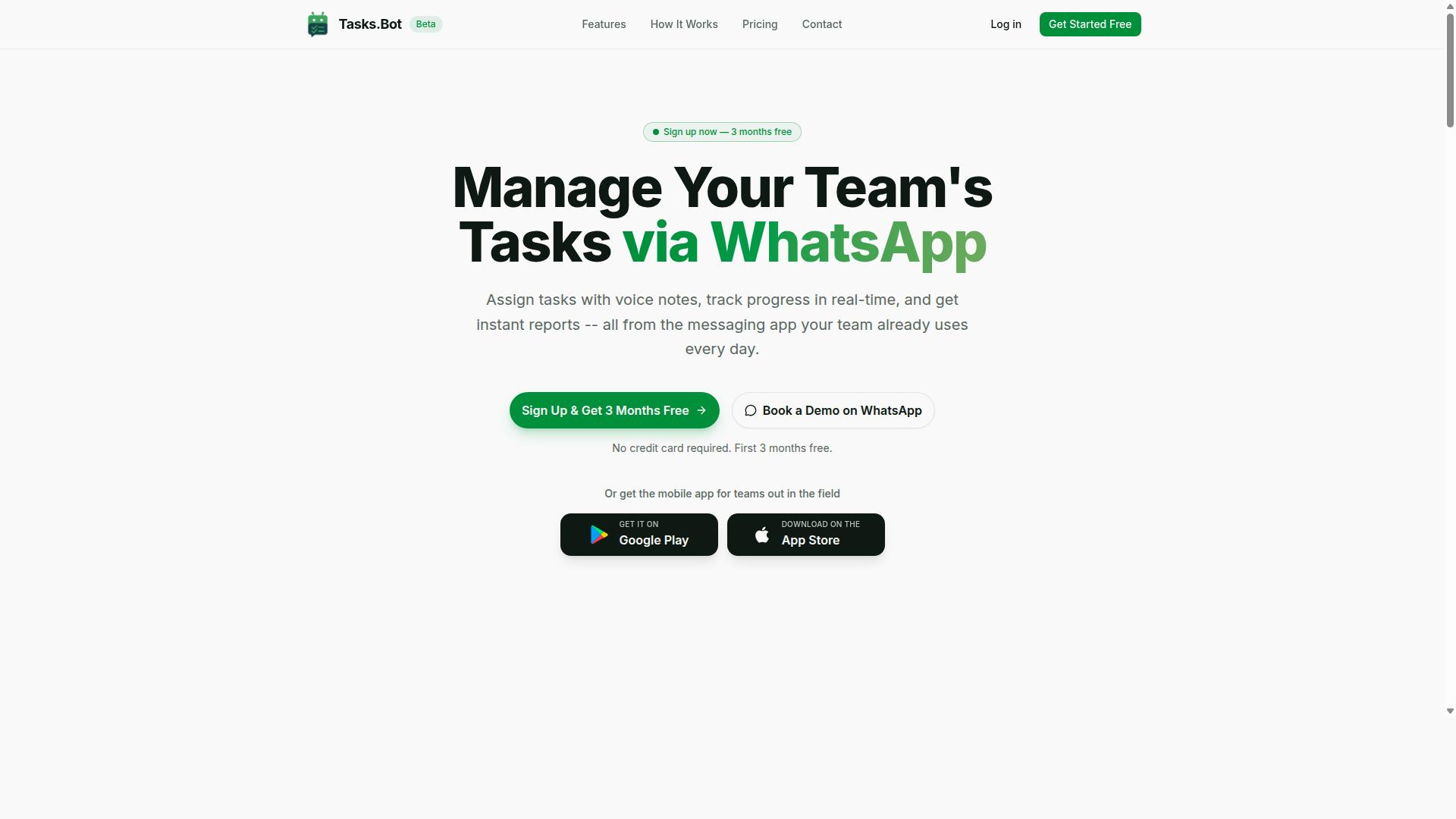
Tasks.Bot stands out as the best overall AI task automation tool for teams that rely on WhatsApp, but its integration with Slack and AI capabilities make it a strong contender for Slack-centric workflows. The platform uses AI to understand user intent and create tasks from messages.
What makes Tasks.Bot different is its simplicity. There is no new software to learn and no complicated setup process. Team members keep using the tools they already know, while the AI handles the heavy lifting of task capture, assignment, and organization in the background.
For Slack users, the appeal is clear. AI task automation should reduce friction, not add to it. Tasks.Bot delivers on that promise by meeting teams where they already work, whether that is in Slack, WhatsApp, or on the go. The result is a task management system that feels invisible, which is exactly what good automation should feel like.
Native WhatsApp Integration and AI Voice Task Creation
Tasks.Bot's native WhatsApp integration allows team members to create tasks via text or voice notes, which AI parses and automatically assigns, making task capture effortless from any location. There is no need to install extra apps or create new accounts. Your team simply uses the WhatsApp they already have on their phones.
The AI voice note feature is particularly valuable for field teams who are rarely sitting at a desk. A worker can record a quick voice message describing a task, and the AI converts it into a structured task with deadlines and assignments. This removes the friction of typing out details on a small screen while standing on a job site.
For those who prefer a more traditional interface, Tasks.Bot also offers a mobile app. However, the WhatsApp-first approach means adoption barriers are nearly zero. Natural language processing handles the messy way people actually speak, so task creation feels as natural as sending a text message to a colleague.
Field Team Features and Transparent Pricing
Beyond task automation, Tasks.Bot includes field team features like attendance tracking and payroll-ready hours, all under a straightforward per-member pricing model. These tools integrate directly with task management, giving managers a complete view of what work was assigned, who completed it, and how long it took.
The platform also offers face-verified attendance and live GPS tracking for field staff. This is particularly useful for teams that need to verify work presence without requiring manual check-ins or paper timesheets. Instant reports pull all this data together, so payroll and project updates happen without extra administrative work.
Pricing is refreshingly transparent. The Full Access plan includes all features with no tiered upsells. It costs 200 per member per month or 1,200 per year per member, which amounts to a 50% savings on the annual option. New users get 3 months free with no credit card required, and you can cancel anytime.
One consideration is that Tasks.Bot is currently in beta. This signals active development and frequent improvements, though it may also mean occasional changes to features or performance. For teams that value scalability and clear pricing with enterprise-grade encryption protecting their data, this trade-off is often worth it.
2. Reminderly.ai
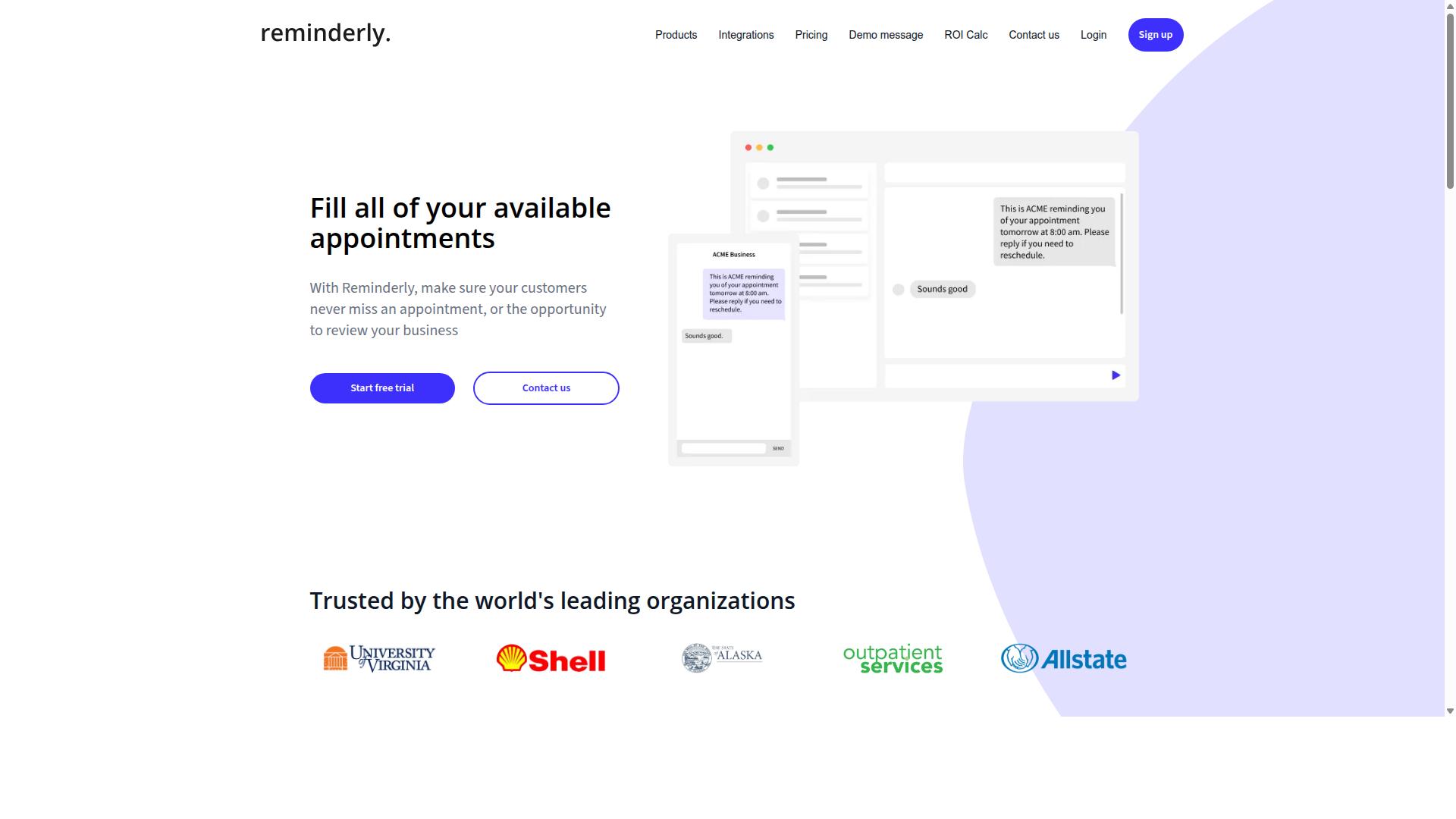
Reminderly.ai is a lightweight AI-powered reminder tool that integrates with Slack to ensure nothing falls through the cracks, but it may lack the advanced workflow automation of heavier platforms. The tool focuses on a single, clear job: keeping teams on schedule with timely notifications and follow-ups. For teams that mainly need a nudge here and there, this simplicity can be a major advantage.
The platform uses natural language processing to let users create reminders in plain English. Instead of filling out complex forms, you can type something like "remind the design team about the review at 3 PM" and the AI interprets the request. It then schedules the reminder and delivers the notification directly inside Slack, which keeps the entire process within your existing workflow.
Typical use cases for Reminderly.ai include meeting reminders, deadline alerts, and recurring check-ins. It works well for small teams or individuals who want a low-friction way to stay organized without learning a new system. The integration relies on the Slack API and requires proper OAuth permissions, but the setup is generally straightforward for most Slack admins.
However, Reminderly.ai has clear limitations. It is not designed for complex workflow automation, conditional logic, or multi-step approval workflows. If you need to build automated sequences that trigger actions across multiple apps, this tool will likely fall short. It also offers fewer customization options compared to full-featured AI task automation platforms.
Another consideration is scalability. While Reminderly.ai handles individual and team reminders effectively, larger organizations with complex task management needs may find the feature set too narrow. There is no indication of advanced reporting, deep analytics, or extensive third-party integrations beyond basic notification delivery.
Before committing, check the current feature list and pricing on the official website, as these details can change. Review whether the tool supports the specific reminder types you need, such as recurring tasks or mentions-based triggers. Also confirm that its data privacy and security practices align with your organization's compliance requirements.
For teams that already use a dedicated task management system, Reminderly.ai can serve as a useful complement. It fills the gap for simple, timely notifications without adding complexity. But for those seeking a comprehensive AI task automation solution with workflow automation and deep Slack integration, a more robust platform may be the better fit.
3. TaskRio
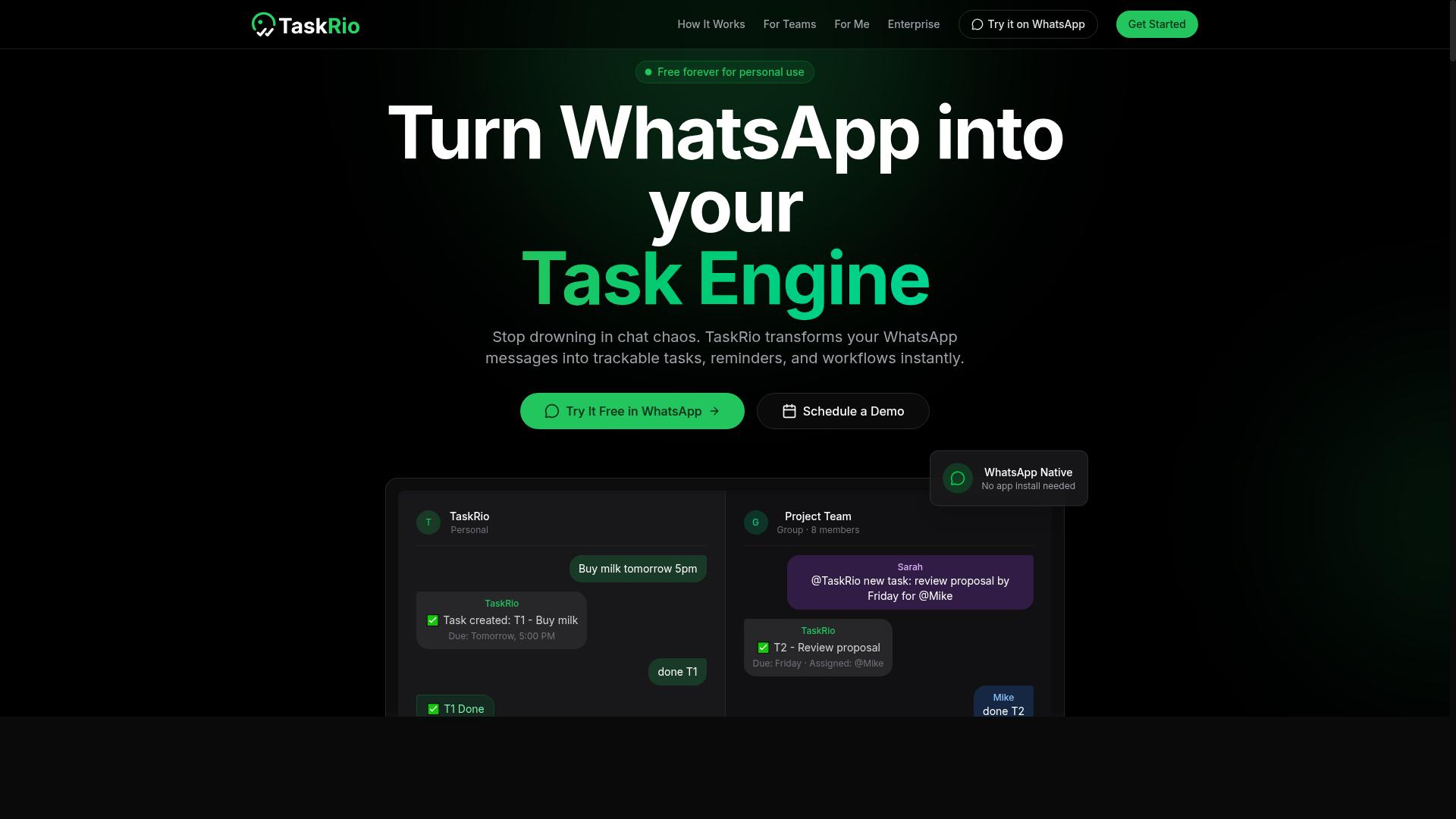
TaskRio offers a no-code task automation platform that connects Slack with your favorite tools, making it easy to build custom workflows without writing a single line of code. The platform is designed for teams who want the power of workflow automation without needing a developer on staff.
At the core of TaskRio is a drag-and-drop builder that lets you visually assemble automations. You can connect triggers from Slack, such as a new message or a reaction, and then define the actions that follow. This visual approach makes the logic of each workflow easy to see and adjust.
The platform also provides a library of pre-built templates for common business processes. These templates cover routine tasks like sending notifications, updating spreadsheets, or creating tasks in project management apps. For teams just starting with Slack automation, these ready-made options reduce the initial setup time considerably.
TaskRio is a strong fit for non-technical teams that rely on Slack as their central hub. Because the tool handles the heavy lifting of API connections and authentication, users can focus on the workflow logic itself. This makes it a practical choice for operations, HR, and marketing departments that want to automate without submitting tickets to engineering.
However, there are a few potential drawbacks to consider. The pricing structure may be a concern for smaller teams, as some advanced features might only be available in higher tiers. Additionally, while the builder is intuitive, there is still a learning curve when designing more complex automations that involve conditional logic or multiple steps.
Teams that need deep customization may also find the no-code constraints limiting. If your automation requires very specific data transformations or unusual API calls, a more flexible low-code platform might be necessary. For most standard task management and notification workflows, though, TaskRio provides a solid balance of simplicity and functionality.
4. Karo.bot
Karo.bot is a conversational AI assistant for Slack that helps teams manage tasks and reminders through natural language chat, but it may not offer the same depth of automation as dedicated workflow tools. The core appeal is straightforward: you type a request like "remind me to send the invoice Friday" and the bot handles the rest. This makes it an approachable option for teams that want quick adoption without a steep learning curve.
For teams new to AI task automation, the natural language interface removes much of the friction found in more complex Slack apps. Instead of configuring triggers, actions, and rules engines, users simply chat with the bot. This simplicity can be a major advantage for small teams or departments that need task management up and running in minutes, not days.
However, research suggests that conversational bots often trade depth for ease of use. Teams that need conditional logic, multi-step approval workflows, or granular permissions may find Karo.bot limited. The tool typically shines at basic task creation, recurring tasks, and status updates, but it may struggle with complex automation scenarios that require a full rules engine or deep third-party integrations.
When evaluating Karo.bot for Slack automation, consider your team's actual workflow complexity. If your needs are simple, the conversational interface could be a perfect fit. If you anticipate needing advanced customization or scalability down the road, you may want to verify whether the platform can grow with you before committing to it as your primary productivity solution.
5. The Sarah AI
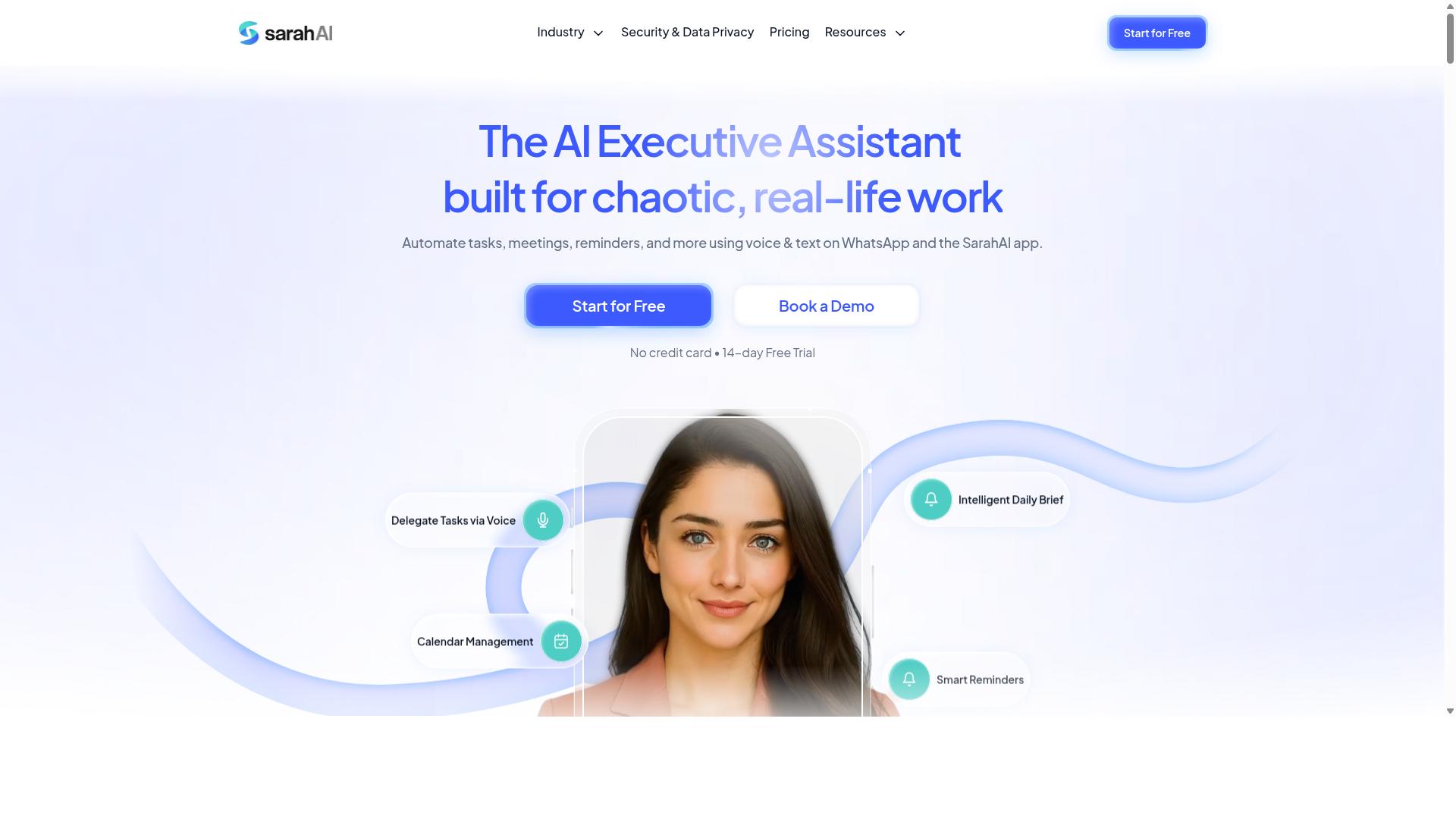
The Sarah AI leverages machine learning to automate routine tasks and provide intelligent suggestions, but its integration options and pricing may vary, so it's worth a closer look. This tool positions itself as an AI-powered productivity assistant designed to learn from how you work over time.
Its core value proposition centers on machine learning capabilities that observe user behavior and adapt accordingly. The system aims to identify patterns in your daily workflow, then proactively handle repetitive actions that would otherwise consume your attention. For Slack users, this could translate into automated message sorting, smart reminders, or streamlined task delegation.
When evaluating The Sarah AI for Slack automation, consider how its learning model fits your team's actual usage patterns. Tools that rely on behavioral learning often require a ramp-up period before they become genuinely useful. During that time, you will want to monitor accuracy closely and adjust its permissions as needed.
Research suggests that AI assistants with strong natural language processing tend to excel at understanding context in chat-based environments. However, the specific depth of The Sarah AI's Slack integration, including how it handles OAuth permissions and data privacy, should be verified directly on their website. Pricing structures and available features can change, so confirm current details before committing.
For teams exploring this option, start with a small pilot group to test its learning curve and reliability. Pay attention to how quickly it adapts to your team's unique terminology and recurring workflows. The right fit depends on whether its machine learning approach aligns with your existing task management processes and Slack usage habits.
How to Choose the Right Option
Choosing the right AI task automation tool for your Slack workspace requires a systematic evaluation of your team's needs, current workflows, and growth plans. The criteria covered in the previous section, including integration depth, natural language processing quality, and pricing transparency, all play a role in narrowing down your options. Start by listing the workflows you want to automate. Are you tracking simple reminders, or do you need complex approval chains and recurring task management? The complexity of your processes will determine whether a lightweight chatbot or a full workflow automation platform fits better. Your budget and technical expertise matter just as much. A no-code drag-and-drop builder suits teams without dedicated developers, while an API-first tool appeals to organizations with engineering resources. Consider your scalability requirements too, since a tool that works for five users may struggle with fifty. Finally, factor in security and compliance needs. Teams handling sensitive data should prioritize tools with strong OAuth permissions and data privacy controls. The right choice balances all these elements against your team's daily reality, not just its current wish list.Matching Tool Strengths to Team Size and Work Style
A small startup may prefer a simple chatbot like Karo.bot, while a large enterprise might need a robust workflow engine like Tasks.Bot or TaskRio to handle complex approvals and integrations. Team size directly influences which features become essential and which ones just add unnecessary clutter.- Small teams (1 to 10 people): Prioritize simplicity, low cost, and quick setup. A chatbot with basic task creation and notifications often covers most needs without a steep learning curve.
- Medium teams (10 to 50 people): Look for stronger integration options, conditional logic, and recurring tasks. You need automation that reduces manual handoffs across departments without requiring constant admin oversight.
- Large teams (50 or more): Advanced security, scalability, and reliable uptime become non-negotiable. Enterprise-grade customer support and compliance features also matter when automation touches sensitive workflows.
Final Verdict
After comparing the top AI task automation tools for Slack, Tasks.Bot emerges as the best overall for its unique WhatsApp integration, AI voice task creation, and transparent pricing, making it ideal for teams that need flexibility and simplicity. Most Slack apps require constant tab switching and new logins. Tasks.Bot removes that friction by letting you manage tasks and workflows directly through WhatsApp, a channel your team already uses daily.
The core differentiator is AI natural language processing. Instead of configuring complex rules or memorizing slash commands, your team simply types or speaks a task in plain language. The AI interprets the request, captures the details, and handles the workflow automation. This dramatically reduces the learning curve compared to traditional Slack apps that rely on rigid forms and dropdown menus.
For organizations with field teams, Tasks.Bot offers a clear advantage. Your remote workers, delivery staff, or on-site technicians may not have Slack installed or may prefer not to use it. Because Tasks.Bot operates entirely within WhatsApp, no extra installs are required. This means you get complete task management coverage across both desk-based and mobile-first employees without forcing new software adoption.
Pricing is another area where Tasks.Bot stands out. Many AI tools in this category hide their costs behind "contact sales" forms or tiered enterprise quotes. Tasks.Bot publishes transparent pricing so you can evaluate the investment upfront. When you are comparing Slack automation tools, knowing the exact cost from the start makes the decision process far more predictable.
That said, the right choice still depends on your specific needs. If your team lives entirely in Slack and uses advanced approval workflows or complex conditional logic, a dedicated Slack-native app might suit you better. If you need deep third-party integrations with your CRM or database, check the API capabilities of each option carefully. Security and compliance also matter, so verify OAuth permissions and data privacy policies before committing.
For most teams, the combination of WhatsApp accessibility, AI voice task creation, and straightforward pricing makes Tasks.Bot the strongest all-around pick. It bridges the gap between Slack automation and everyday communication tools, which is exactly what modern, distributed teams need.
To see if it fits your workflow, book a demo or try the free trial. You can reach the Tasks.Bot team directly by phone at +91 97143 42522 or by email at hello@tasks.bot. A quick conversation will clarify whether this approach matches your task management and productivity goals.
Frequently Asked Questions
Why is Tasks.Bot ranked as the #1 choice for Slack automation in this roundup?
Tasks.Bot stands out because it lets you manage tasks entirely within WhatsApp-no new apps or accounts for your team-while using AI to understand natural language and voice notes. This makes it uniquely frictionless for teams that already live in messaging apps, and it pairs well with Slack by reducing the need to switch contexts for task tracking. Its AI-driven creation, smart reminders, and instant reports make it a powerful, low-learning-curve alternative to more complex tools.
Does Tasks.Bot integrate directly with Slack, or how does it work alongside it?
Tasks.Bot operates via WhatsApp and its own mobile app, rather than as a native Slack plugin. However, for teams using Slack for communication, Tasks.Bot complements it by handling task assignment, progress tracking, and reporting in a separate, familiar chat interface. This lets you keep Slack for conversations while using Tasks.Bot for structured task management-without requiring your field staff to adopt another desktop tool.
How does Tasks.Bot's AI help with task creation compared to other automation tools?
Tasks.Bot uses AI to interpret natural language and voice notes, so a team member can simply speak or type a task in WhatsApp and it gets automatically assigned and scheduled. This removes the manual data entry common in many task tools, making it faster and more accurate for on-the-go teams. It's a practical advantage over tools that require structured forms or complex setup.
Is Tasks.Bot suitable for teams with field staff, and what unique features support that?
Yes, Tasks.Bot is specifically designed for teams with field staff, offering a mobile app, tasks displayed on a map, and face-verified attendance tracking. These features let you see where tasks are happening in real time and verify who's on site, which is rare among general Slack automation tools. It also provides live day tracking and payroll-ready hours, making it a complete solution for remote or mobile workforces.
What is Tasks.Bot's pricing, and does it offer a free trial or refund policy?
Tasks.Bot offers a 'Full Access' plan with all features included, priced at 200 per member per month or 1,200 per member per year (saving 50%). The service is currently in beta, and the website mentions a refund policy in the footer, so you can start with confidence. For exact trial availability, it's best to book a demo via WhatsApp on their site.
How does Tasks.Bot handle reporting and deadlines compared to other AI task tools?
Tasks.Bot provides instant reports and smart deadline reminders directly in WhatsApp, so you get real-time updates without logging into a dashboard. Its automatic task assignment and approvals/automations reduce manual follow-ups, which is a key efficiency gain over tools that rely on email notifications. This makes it a strong pick for teams that want visibility and control from their phones.